
You can now delete several people, or change their category, at once
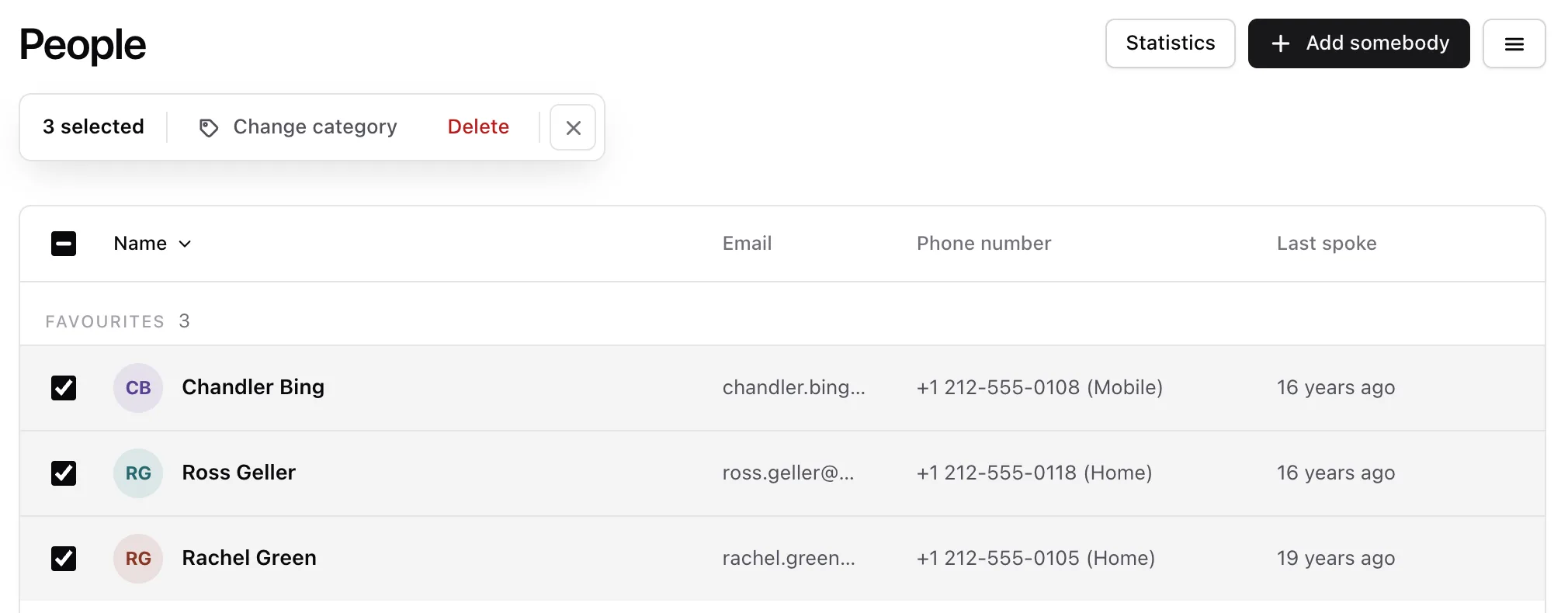
Tick the people you want on the People list, then change their category or delete them in one go. Monica names who goes before deleting anybody, and a change of category can be undone.
 Regis Freyd
Founder
 View full screen
A vault fills up over the years. People you met once, colleagues from a job you left, the whole wedding party you added in one evening. Sooner or later you want to tidy up: file the old team under Acquaintance, or let a few people go altogether.
Until now, that meant opening each person, one after the other. To move Chandler, Ross and Rachel to Close friend, you edited three pages. To delete ten people, you deleted ten times, confirming each one.
Now the People list has a box at the start of every row. Tick the people you want, or tick the box in the heading to take the whole page, and a bar appears offering to change their category or to delete them, all at once. Deleting asks first and names everybody who goes. After a change of category, Undo puts everybody's categories back as they were.
How to act on several people at once
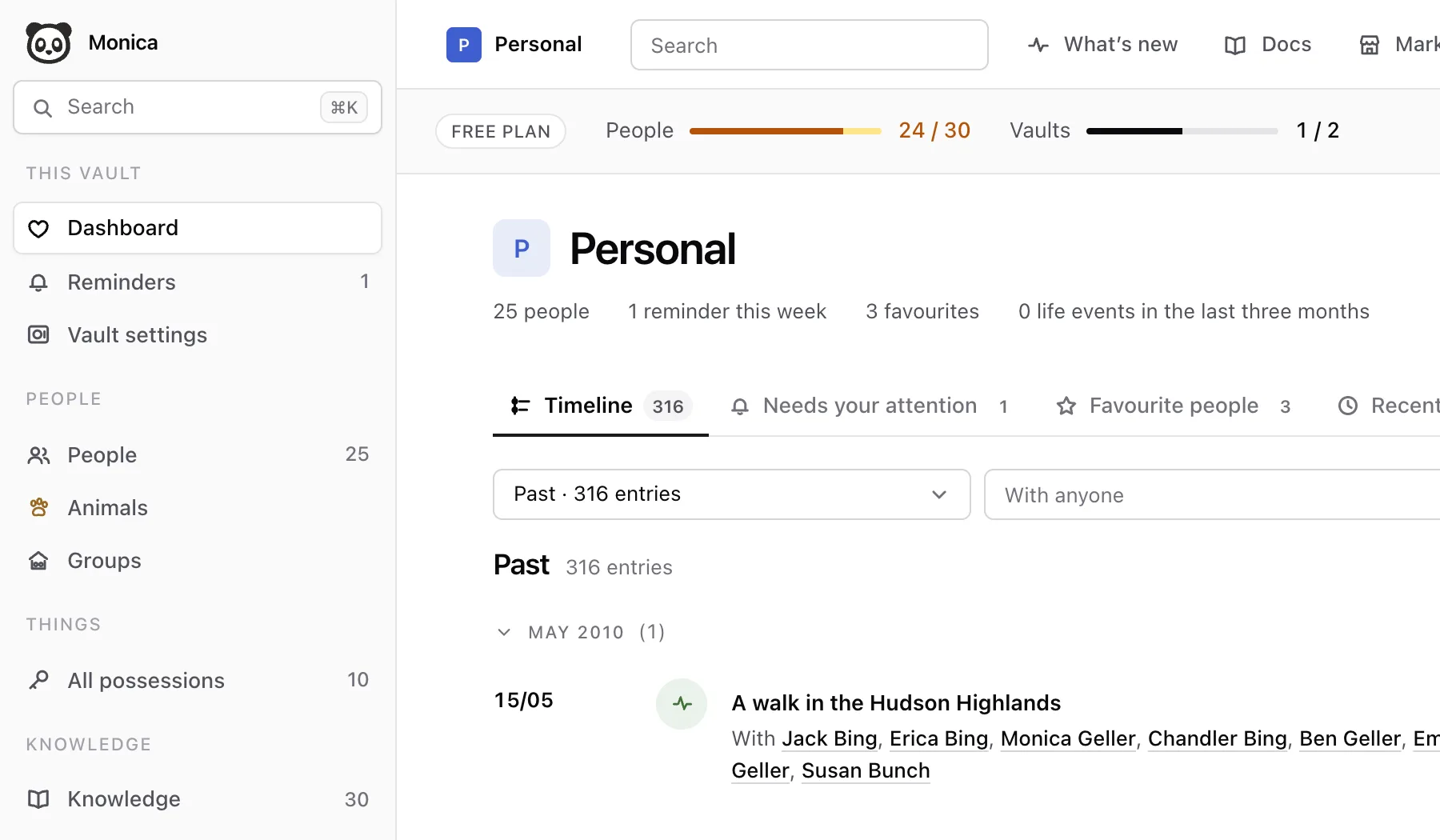
Open your vault. On its dashboard, choose People in the sidebar.
 View full screen
The vault dashboard. People is in the sidebar. The list now has a box at the start of every row, and one in the heading.
 View full screen
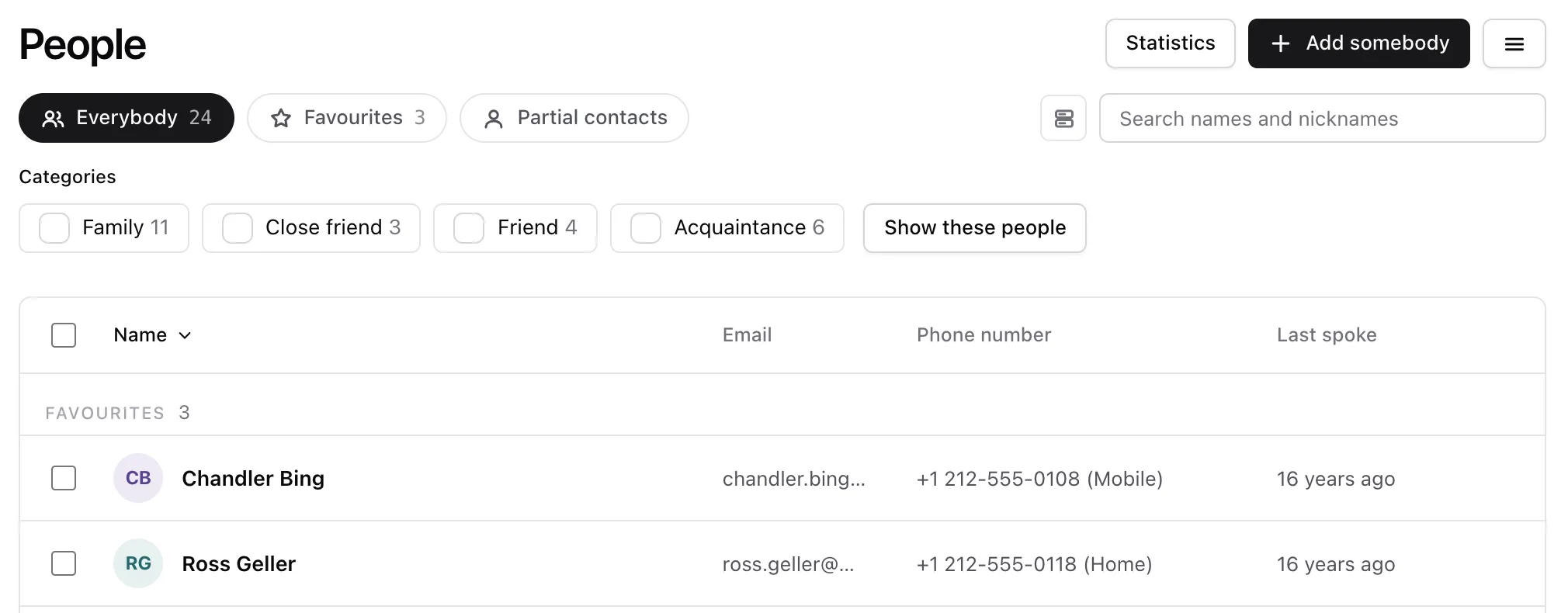
A box on every row, and one in the heading for the whole page. Tick the people you want to act on. To take everybody on the page, tick the box in the heading instead. The filters and the search make room for a bar saying how many people are selected. While somebody is selected, choosing a row selects it instead of opening it.
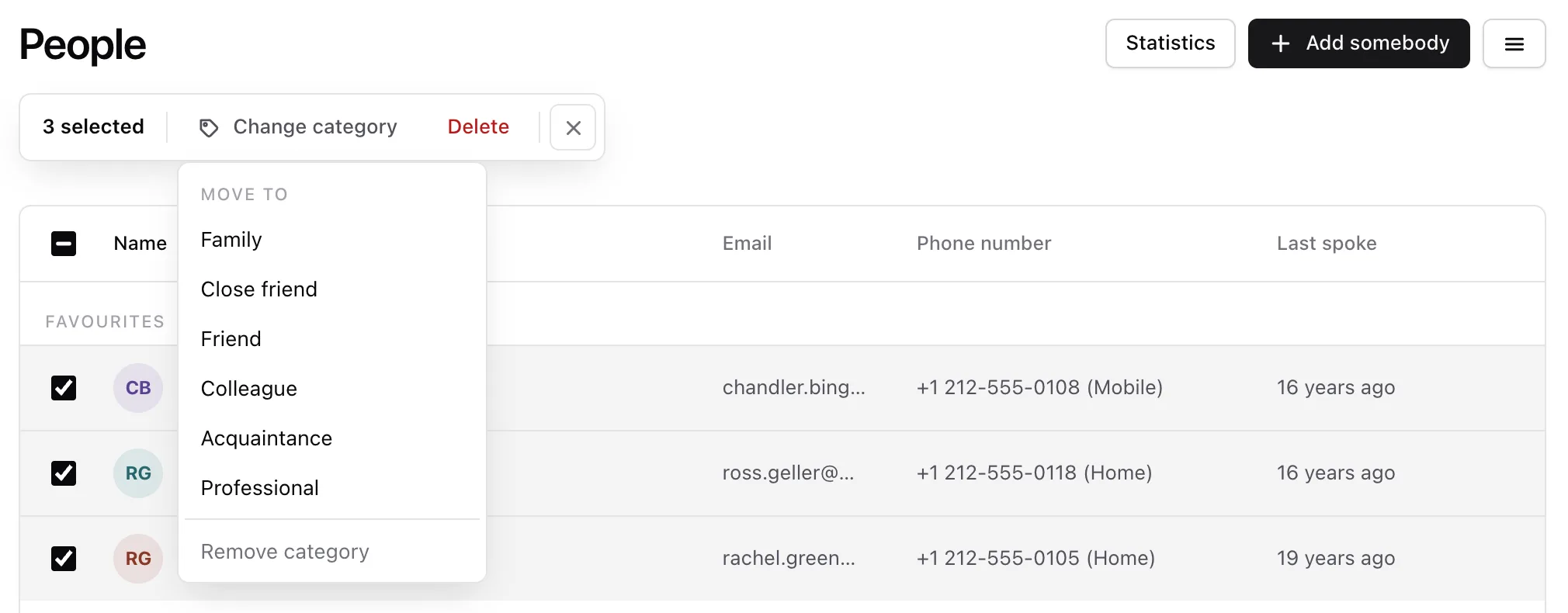
To file them under a category, choose Change category, then the category under Move to. To take their category off, choose Remove category.
 View full screen
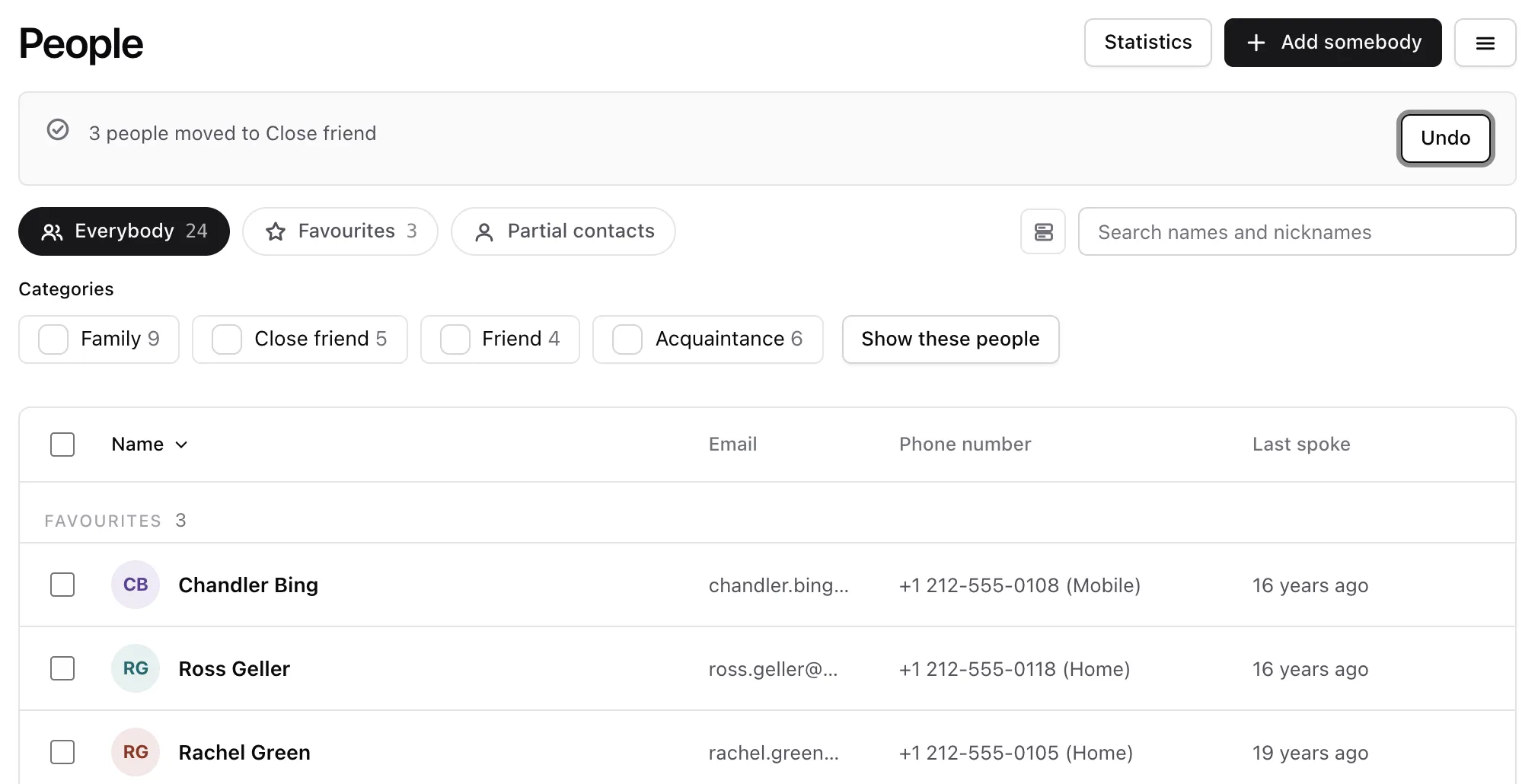
Every category of your account, and a way to remove it. Monica moves them straight away and says how many people changed. Changed your mind? Choose Undo in that message, and everybody goes back to the category they had.
 View full screen
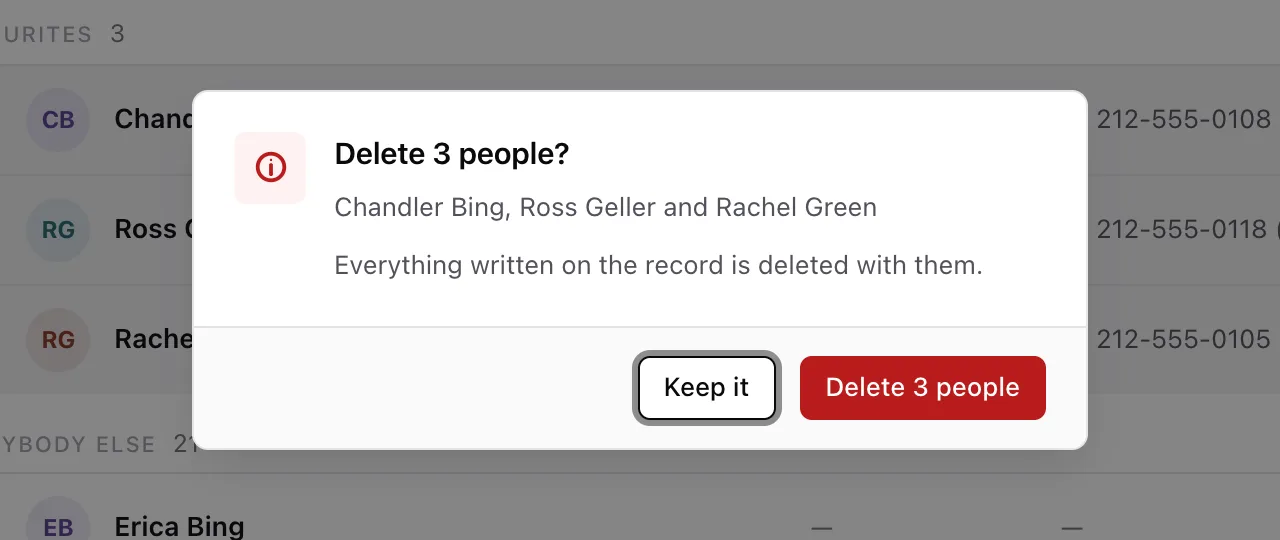
One click on Undo puts everything back. To delete them instead, choose Delete. Monica asks first, naming every person it is about to delete. To confirm, choose the button that says how many people go, such as Delete 3 people. To leave them be, choose Keep it.
 View full screen
Monica names who goes before deleting anybody.
To clear the selection, choose the cross at the end of the bar, or press Escape. Changing the filter, the search, the sort or the page clears it too.
Good to know
Deleting several people works exactly like deleting them one by one. Everything written on their records goes with them, and there is no undo, so read the names before you confirm. The contact that represents you is never deleted, even when it is selected, and the others still are.
A person whose template has no category field is left as they were when you change a category, and the message says so.
You can act on up to 500 people at once.
Scripts and AI assistants can do the same: the API can delete several contacts or change their categories in one request, and the MCP server offers both as tools.